- Certificate Format
- Installing the Certificate
Using a Custom SSL Certificate in Technitium DNS
How to configure a custom SSL certificate in Technitium DNS
Written on 2026-04-06
Written by Remco Kersten
Written by Remco Kersten
Are you using Technitium DNS and want to apply your own SSL certificate to the management interface? This guide will walk you through the process step by step.
Certificate Format
Important: You need a certificate in PFX format.
If your certificate is in CRT and KEY format, you can convert it to PFX using OpenSSL:
openssl pkcs12 -export -out dns.pfx -inkey dns.key -in dns.crtInstalling the Certificate
- Place the certificate file (PFX format) in the config directory. You can find the correct location by checking the application logs.
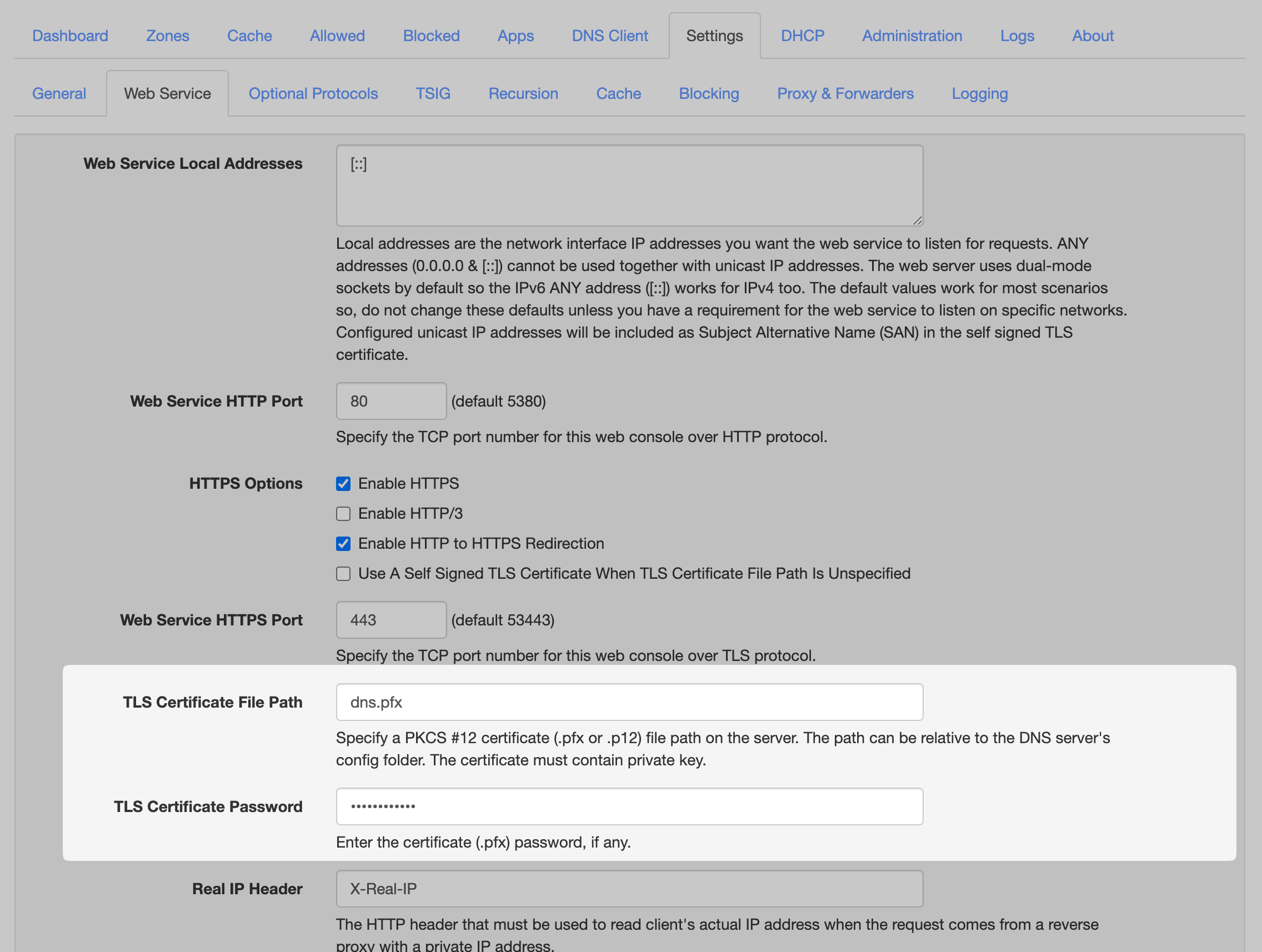
- Go to Settings → Web Service, and fill in the following:
TLS Certificate File Path: Enter the filename of your certificate.
TLS Certificate Password: Enter the password for the certificate. - Reload the web interface.
Your custom SSL certificate should now be applied successfully!