Hosting AgentGPT on Linode
Published on
Introduction: In a previous blog post, I have already written about the amazing capabilities of AgentGPT. Unfortunately, currently running 10 agents every 3 hours is not feasible due to the high costs for the creators of AgentGPT. Fortunately, there is a solution: you can host AgentGPT yourself! On this Github repo you will find further instructions about the build process.
But since dockerizing an application and then hosting it in the cloud can be quite a challenge if you’re not familiar with Docker, I’ve already done this work for you. On Dockerhub you can find the AgentGPT images in my repo.
In this blog post, I will explain how to dockerize AgentGPT and then host it on Linode, a cloud provider with Kubernetes support.
Note
Linode is a cloud provider known for its reliable and high-performance hosting solutions. You can create an account yourself to follow the steps below.
Steps to Host AgentGPT on Linode
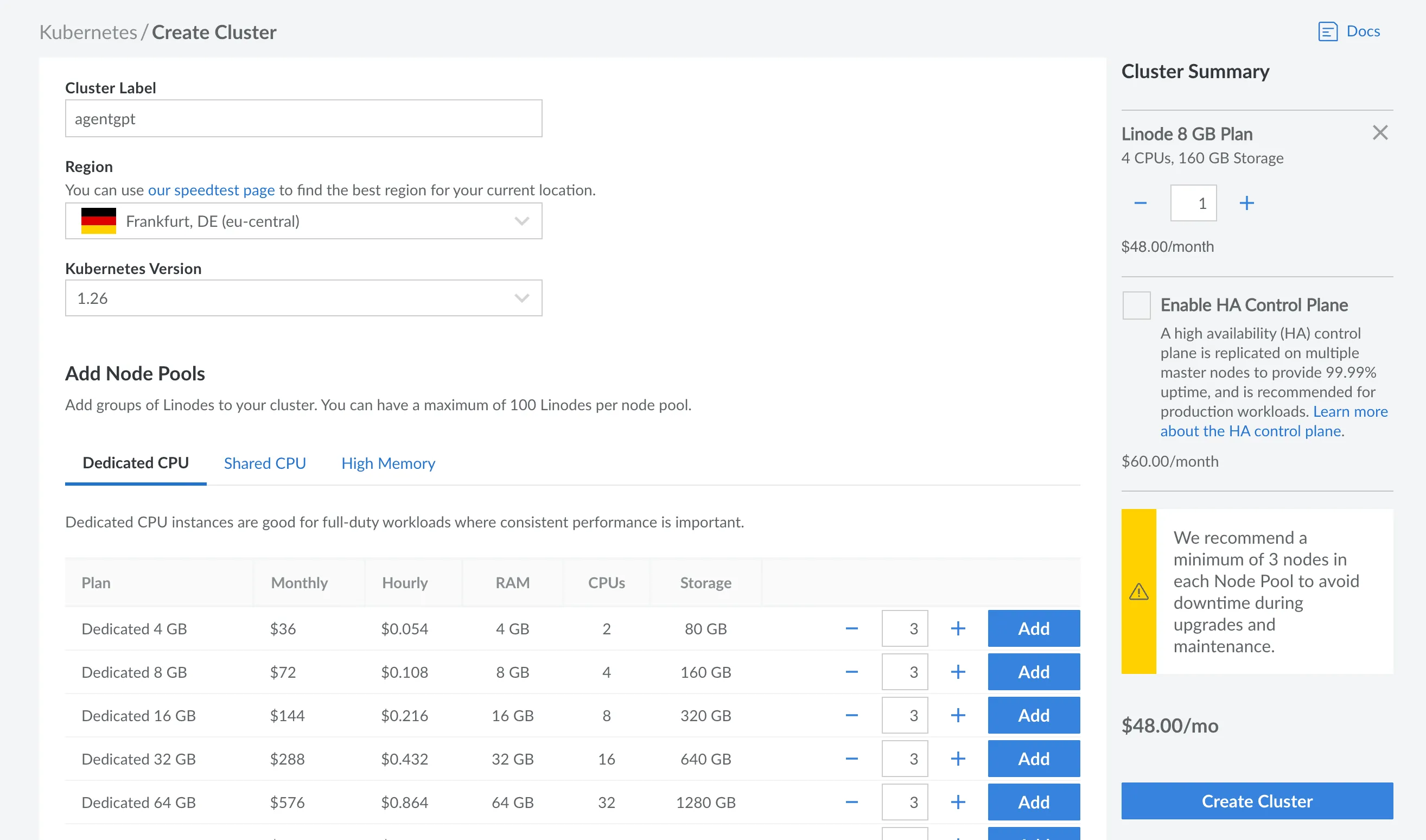
- Create a Kubernetes instance on Linode. For this demo, one worker is sufficient, but for production
environments, it is recommended to use at least 3 workers. Ensure that the worker has a minimum of 4 CPUs and 8 GB
of memory to guarantee optimal performance.
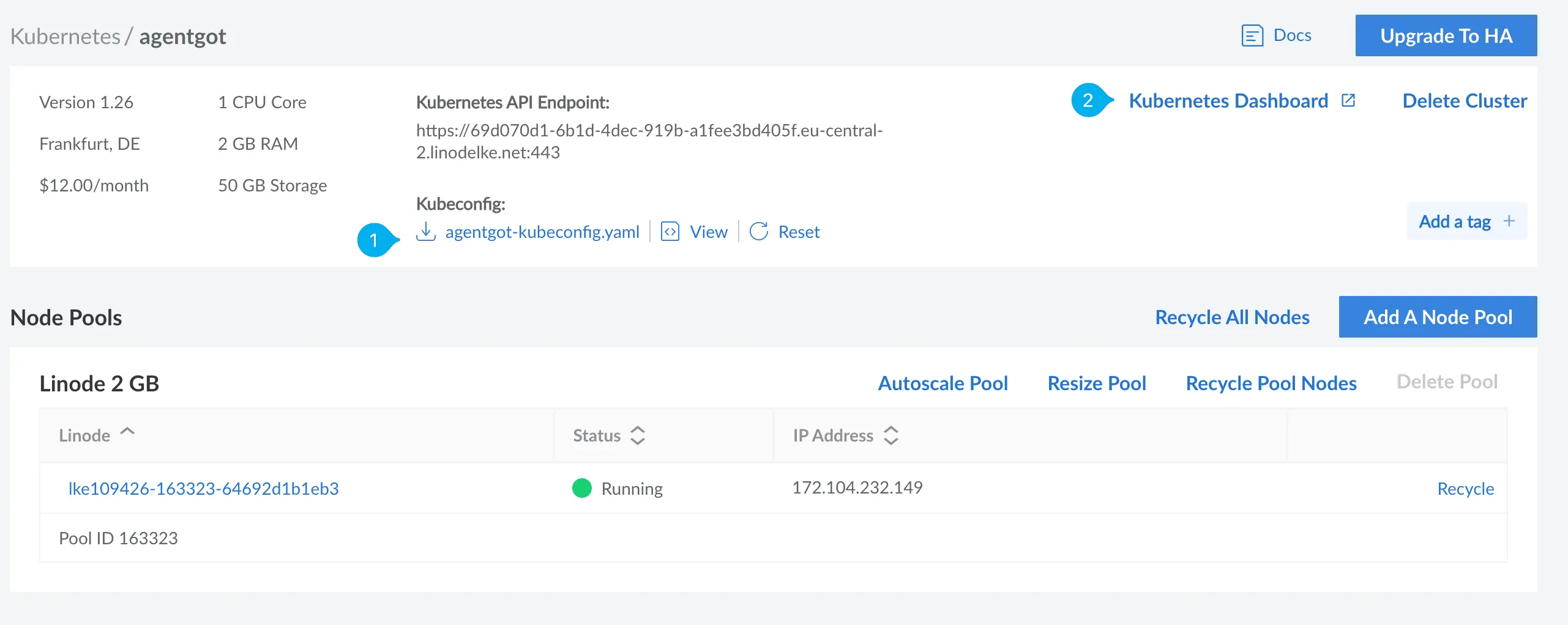
- Download the YAML file containing the configuration for the Kubernetes environment. Go to the Kubernetes
Dashboard on Linode and log in by uploading the YAML file.
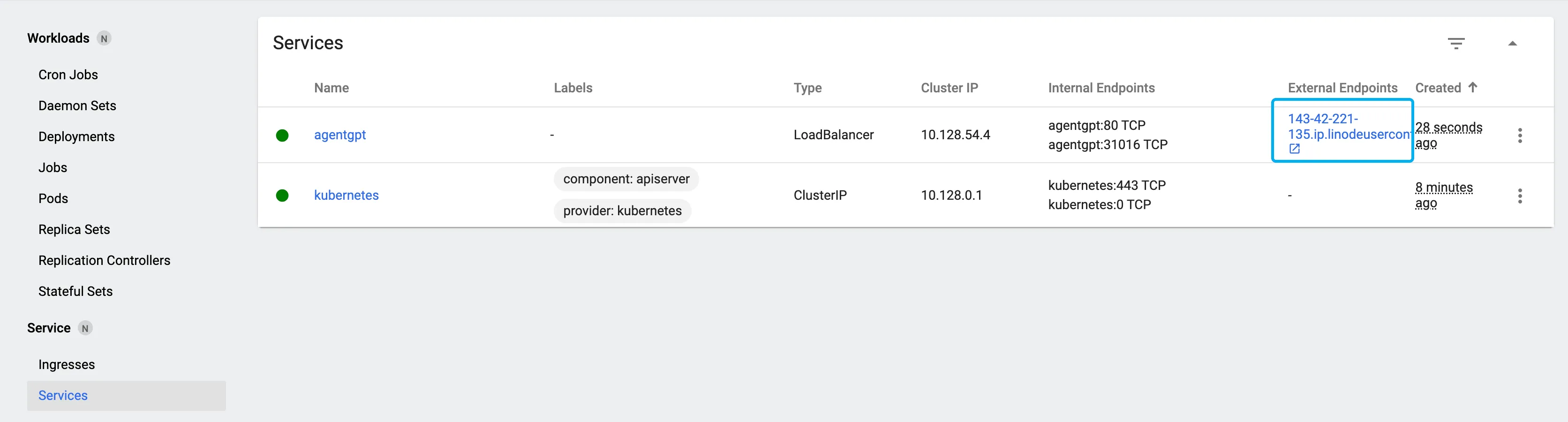
- Create a Load Balancer. The Load Balancer ensures that the container we will implement in the next step is publicly accessible. Click on the + symbol in the top right corner and upload the following YAML file to the Linode Kubernetes Dashboard to create the Load Balancer.
apiVersion: v1kind: Servicemetadata: name: agentgptspec: selector: app: agentgpt ports: - port: 80 targetPort: 3000 type: LoadBalancerOnce the Load Balancer is created, you can you find the URL where Agent GPT can be accessed later.
- Deploy the 3 containers (pods) within Kubernetes by uploading the following YAML file to the Linode Kubernetes Dashboard.
- Replace the <base> variable with a random base64 string
- Replace the 2 <url> variables with the URL of your load balancer (previous step)
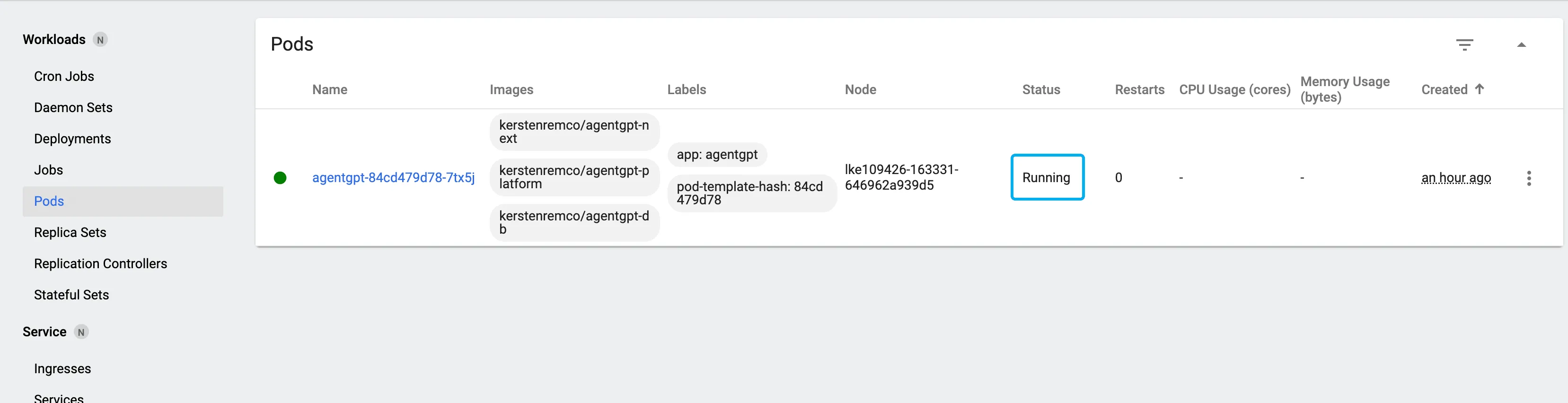
apiVersion: apps/v1 kind: Deployment metadata: name: agentgpt labels: app: agentgpt spec: selector: matchLabels: app: agentgpt replicas: 1 strategy: type: Recreate template: metadata: labels: app: agentgpt spec: volumes: - name: agentgpt-db persistentVolumeClaim: claimName: agentgpt-db containers: - name: agentgpt-next image: kerstenremco/agentgpt-next resources: limits: memory: "2048Mi" cpu: "1" ports: - containerPort: 3000 env: - name: REWORKD_PLATFORM_HOST value: 0.0.0.0 - name: REWORKD_PLATFORM_DB_HOST value: db - name: REWORKD_PLATFORM_DB_PORT value: "3306" - name: REWORKD_PLATFORM_DB_USER value: "reworkd_platform" - name: REWORKD_PLATFORM_DB_PASS value: "reworkd_platform" - name: REWORKD_PLATFORM_DB_BASE value: "reworkd_platform" - name: NEXTAUTH_SECRET value: "<base64 string>" - name: NEXTAUTH_URL value: "<url>" - name: NEXT_PUBLIC_BACKEND_URL value: "<url>" - name: DATABASE_URL value: "file:../db/db.sqlite" - name: agentgpt-platform image: kerstenremco/agentgpt-platform resources: limits: memory: "4096Mi" cpu: "1" ports: - containerPort: 8000 - name: agentgpt-db image: kerstenremco/agentgpt-db resources: limits: memory: "1024Mi" cpu: "1" ports: command: ["/bin/bash", "-c", "mysqld --initialize && mysqld --character-set-server=utf8mb4 --collation-server=utf8mb4_unicode_ci"] ports: - containerPort: 3306 env: - name: MYSQL_DATABASE value: reworkd_platform - name: MYSQL_USERNAME value: reworkd_platform - name: MYSQL_PASSWORD value: reworkd_platform - name: MYSQL_ROOT_PASSWORD value: reworkd_platformWait for a few minutes and check under Pods to see if the pod has a status of running.
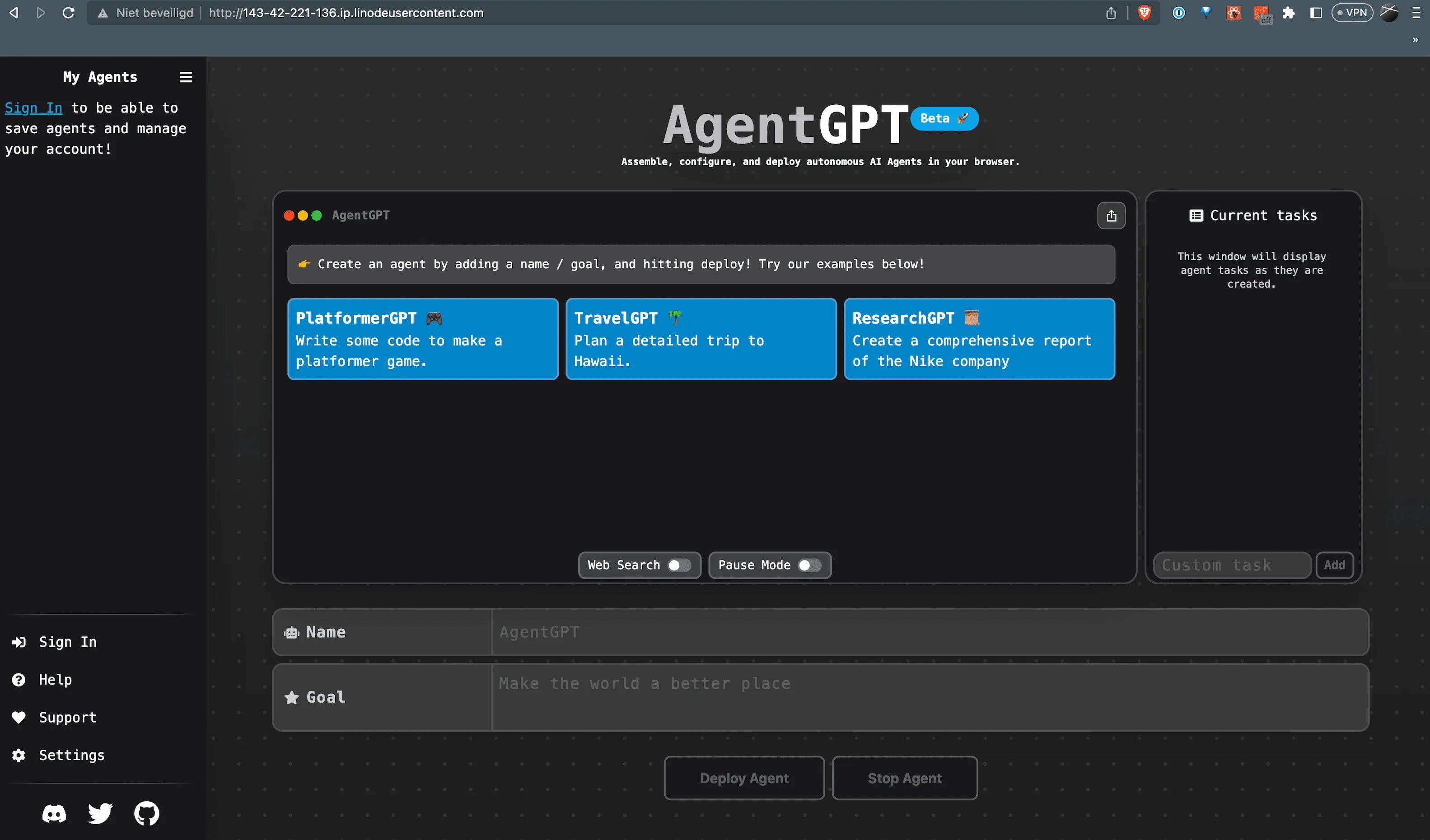
- Now, open the URL of your Load Balancer, and voila, you have your own AgentGPT at your disposal!
Conclusion
Using Kubernetes on Linode, you can easily host your own instance of AgentGPT. Have fun exploring the capabilities of AgentGPT in your self-hosted environment! 😊
Warning
Make sure your AgentGPT instance is protected from unauthorized access my setting network policies. It is also recommended to create a Persistent Volume for the database container which is mapped to /var/lib/mysql/”