SendANote - little notes for the people you care about
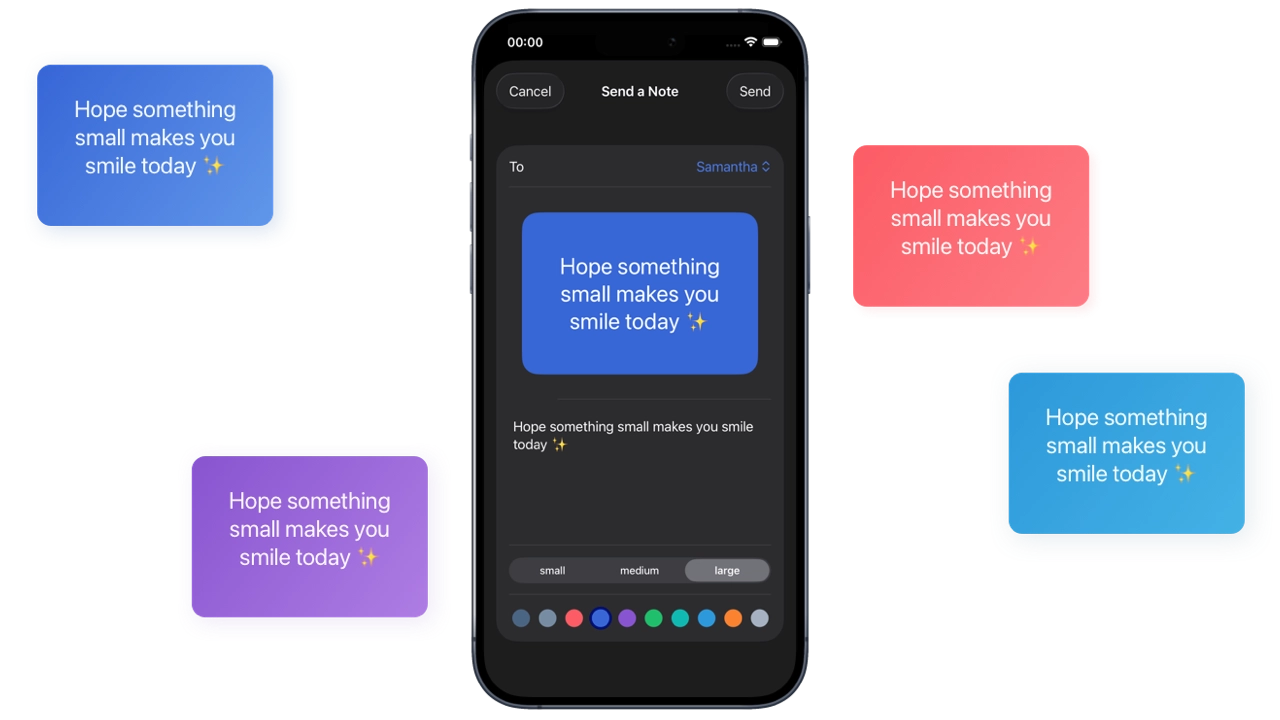
A native iOS app for sending small, personal notes to friends and family. The notes appear right on their home screen.
You add a friend by sharing an 8-digit invite code or a link. Once they accept, you can write a short note, style it with your own colours and send it to one or more friends at once. The recipient gets a push notification, and the note appears in their inbox and in the home-screen widget. They can reply with an emoji reaction, save a note as a favourite or write back straight away. A streak counter keeps track of how many days in a row you’ve exchanged notes with each friend.
Features
- No account needed. Users are signed in anonymously, so there’s no email address or password involved.
- Friends are linked with invite codes or universal links. The app handles invites that are pending, already accepted or duplicated, and it reattaches old notes when you re-add a friend.
- A note editor with background colours, two-colour gradients in four directions, text sizes, automatic text-contrast correction and a set of ready-made quotes for inspiration.
- A configurable home-screen widget (small and medium) that shows the latest note from everyone or from one chosen friend.
- Emoji reactions, favourites, quick replies and an unread badge on the app icon.
- Daily streaks per friend, with a countdown showing how much time is left to keep the streak going.
- TipKit onboarding hints, an in-app guide and a feedback form.
Architecture
The app is local-first and privacy-friendly. All notes, friends and reactions are stored on the device with SwiftData. Firebase is only used to pass messages between people:
- A sent note is written to Cloud Firestore to the recipient’s anonymous UID.
- A push notification wakes the recipient’s app in the background. The app then fetches new notes, reactions and accepted invites, saves them locally and deletes them from Firestore right away, so nothing stays on the server.
- The SwiftData store lives in a shared App Group container, so the WidgetKit extension can read the same data. The widget is configured with App Intents, and you can pick a friend through a custom
AppEntity.
Tech stack
- iOS app: Swift, SwiftUI, SwiftData, TipKit
- Widgets: WidgetKit, App Intents (configurable widgets with a custom
AppEntity), App Groups - Backend: Firebase (Anonymous Authentication, Cloud Firestore, Hosting), Apple Push Notification service
- Tooling: Xcode